As a business grows, so do the daily tasks.
Sending payment reminders.
Updating inventory.
Following up with leads.
Creating invoices.
Checking stock.
Sharing business details with new customers.
Generating reports.
Individually, each task takes only a few minutes.
Together, they consume several hours every single day.
The problem isn't that these tasks are difficult—they're simply repetitive.
That's why more businesses are adopting SME business automation software to reduce manual work, minimize errors, and allow employees to focus on activities that actually drive growth.
What Is Business Automation?
Business automation means allowing software to perform routine tasks automatically based on predefined conditions.
Instead of waiting for someone to remember every task, the system performs it at the right time.
For example:
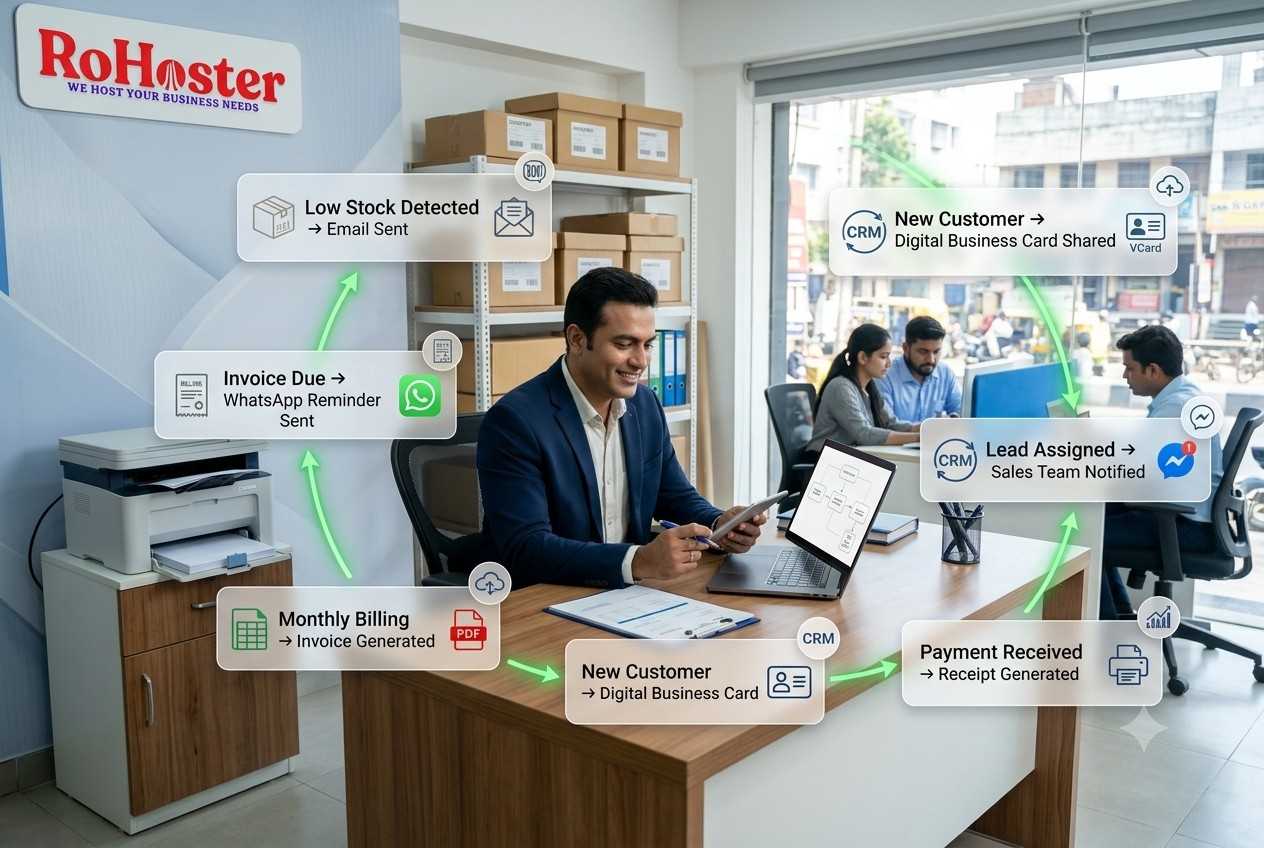
- Low stock triggers a reorder alert.
- An unpaid invoice sends a reminder.
- A new customer automatically receives a welcome message.
- Monthly invoices are generated without manual intervention.
Automation doesn't replace people.
It removes repetitive work so people can focus on decisions instead of administration.
1. Automatically Notify Your Team About Low Inventory
One of the most common reasons businesses lose sales is discovering stock shortages too late.
Instead of manually checking inventory every evening, inventory management software can automatically generate alerts whenever stock falls below a predefined level.
For example:
Product Quantity < Minimum Level
↓
Email Notification Sent
↓
Purchase Team Alerted
↓
Reorder Initiated
This reduces stockouts while giving procurement teams more time to replenish inventory.
2. Generate Recurring Bills Automatically
Many businesses bill the same customers every month.
Examples include:
- Maintenance contracts
- AMC services
- Memberships
- Subscription businesses
- Service retainers
Instead of creating identical invoices repeatedly, automation can generate recurring bills on scheduled dates.
Employees only need to review and send them.
This saves time while ensuring invoices are never forgotten.
3. Send Payment Reminders Without Manual Follow-Up
Businesses often spend valuable time reminding customers about outstanding payments.
Automation can schedule reminders before or after invoice due dates.
For example:
Invoice Due Tomorrow
↓
WhatsApp Reminder Sent
↓
Email Reminder Sent
↓
Payment Link Included
This creates a more professional collection process while reducing manual effort.
Our article Moving Beyond the Red Khata: Digitizing Customer Udhaar and Credit Limits explains how digital payment reminders improve customer credit management.
4. Automatically Share Digital Business Cards
Every new customer or prospect eventually asks:
"Can you share your contact details?"
Instead of manually typing phone numbers or forwarding visiting cards, automation can instantly share a digital business card after a lead inquiry or completed transaction.
This improves customer experience while ensuring contact information remains accurate.
5. Assign Leads to the Right Salesperson
Growing businesses receive enquiries from websites, WhatsApp, referrals, and social media.
Without organization, leads may remain unattended.
Automation can assign leads based on predefined rules.
For example:
- North Region → Sales Executive A
- South Region → Sales Executive B
- Product Category A → Specialist Team
- High-Value Lead → Sales Manager
Every lead reaches the right person automatically.
No spreadsheets.
No confusion.
No missed opportunities.
6. Generate Receipts Immediately After Payment
Once payment is received, customers expect confirmation.
Automation allows the system to:
- Record payment
- Update invoice status
- Generate receipt
- Email or WhatsApp the receipt
- Update customer history
The entire process happens within seconds.
Employees don't have to prepare receipts manually.
7. Keep Inventory Updated Automatically
One of the biggest advantages of integrated business management software is that different modules communicate automatically.
When an invoice is generated:
- Inventory decreases.
- Sales records update.
- Reports refresh.
- Product movement is recorded.
Employees don't need to update multiple systems separately.
Businesses still using manual inventory records may find Ditch the Spreadsheets: Why Managing Retail Stock in Excel Is Costing You Money helpful for understanding the advantages of automated inventory updates.
8. Schedule Business Reports Automatically
Managers shouldn't spend hours compiling reports every Monday morning.
Automation can prepare reports on a fixed schedule.
Examples include:
- Daily Sales Report
- Weekly Inventory Report
- Monthly Profit Summary
- Outstanding Payments
- Purchase Reports
Instead of asking employees to prepare reports repeatedly, the information is generated automatically.
9. Trigger Supplier Alerts Before Stock Runs Out
Automation isn't limited to customer communication.
Procurement teams can also benefit.
Suppose inventory reaches a predefined reorder level.
The system can automatically:
- Notify the purchase department.
- Generate a purchase request.
- Alert the supplier manager.
- Prepare procurement records.
Our article Never Miss a Due Date: How to Manage Supplier Payables and Purchase Orders explains why connecting procurement with inventory creates more efficient purchasing workflows.
10. Reduce Human Errors
Manual processes create opportunities for mistakes.
Examples include:
- Forgetting to send invoices
- Missing payment reminders
- Entering incorrect inventory quantities
- Delaying customer follow-ups
- Missing supplier due dates
Automation performs repetitive activities consistently.
That doesn't eliminate human oversight—but it significantly reduces routine errors.
Automation Improves Customer Experience Too
Customers appreciate faster responses.
Automation can immediately:
- Confirm enquiries.
- Send quotations.
- Share invoices.
- Deliver payment confirmations.
- Provide digital business cards.
Customers receive timely communication even when employees are busy.
That creates a more professional business experience.
Automation Doesn't Mean Losing Control
Some business owners worry automation means software starts making important decisions independently.
That's not how most business automation works.
Business owners define the rules.
For example:
"If stock falls below 20 units, notify purchasing."
"If invoice remains unpaid for seven days, send a reminder."
"If monthly contract renewal date arrives, generate the invoice."
The software simply performs these predefined actions consistently.
Connect Automation Across Your Business
The biggest benefit appears when multiple departments work together.
For example:
Customer places an order.
↓
Invoice generated.
↓
Inventory updated.
↓
Payment recorded.
↓
Receipt shared.
↓
Sales report updated.
↓
Profit report refreshed.
↓
Customer history updated.
Instead of isolated software performing separate tasks, one connected system keeps business information synchronized.
Save Time for High-Value Work
Automation isn't about reducing employees.
It's about allowing employees to spend more time on work that requires human judgment.
Instead of repeatedly preparing invoices, they can build customer relationships.
Instead of manually counting inventory every day, they can improve purchasing decisions.
Instead of copying data between spreadsheets, they can analyze business performance.
That's where automation creates its biggest value.
Why Growing SMEs Need Automation
Small businesses often begin with manual processes because transaction volumes are manageable.
As the business grows:
- Customers increase.
- Employees increase.
- Products increase.
- Suppliers increase.
- Transactions increase.
The same manual systems eventually become bottlenecks.
Automation allows businesses to scale operations without increasing administrative work at the same pace.
How RoHoster Helps Automate Everyday Business
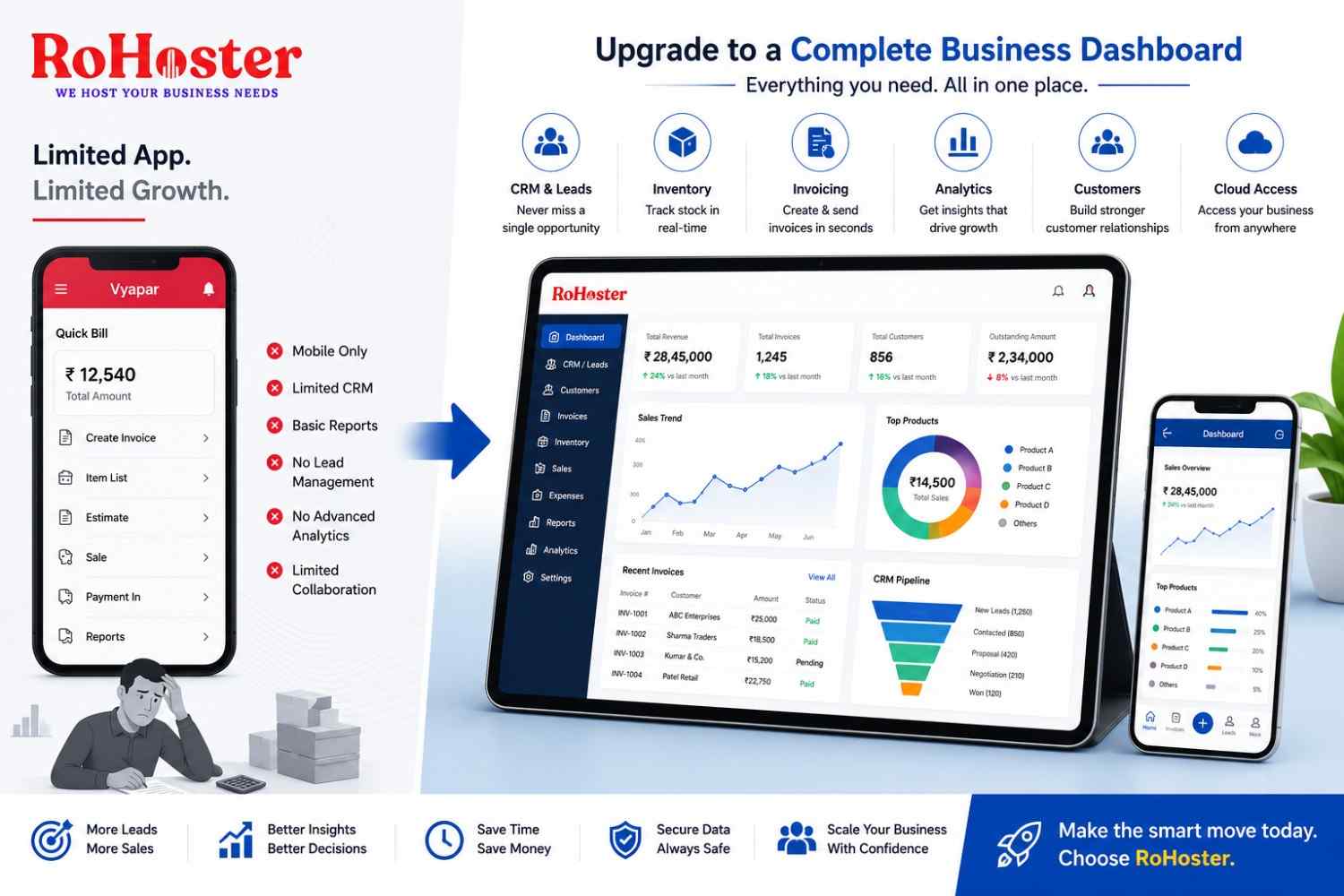
RoHoster brings multiple everyday business functions into one centralized cloud platform.
Depending on the implemented features and business configuration, businesses can automate and manage areas such as:
- Inventory alerts
- Billing
- Customer records
- Lead management
- Payment reminders
- Business reports
- Sales tracking
- Cloud-based access
Instead of switching between disconnected applications, teams can manage operations from a more organized environment.
The result is less repetitive work and better operational visibility.
Conclusion
Every growing business eventually reaches a point where manual processes slow growth.
The solution isn't working longer hours.
It's removing repetitive work wherever possible.
Using SME business automation software, businesses can automate inventory alerts, recurring billing, lead assignments, payment reminders, customer communication, and reporting—giving owners and employees more time to focus on customers, strategy, and growth.
Automation doesn't replace good management.
It gives good management better tools.
Further Reading
Want more practical insights on automation, business management, and digital transformation?
Read the latest business insights from LarchSoft on LinkedIn.